
A free social listening stack usually looks useful until someone asks a second question.
Where did this mention come from? Does the chart include comments? Are ten reposts being counted as ten independent opinions? Can we open the sources? Did the same query return the same result today?
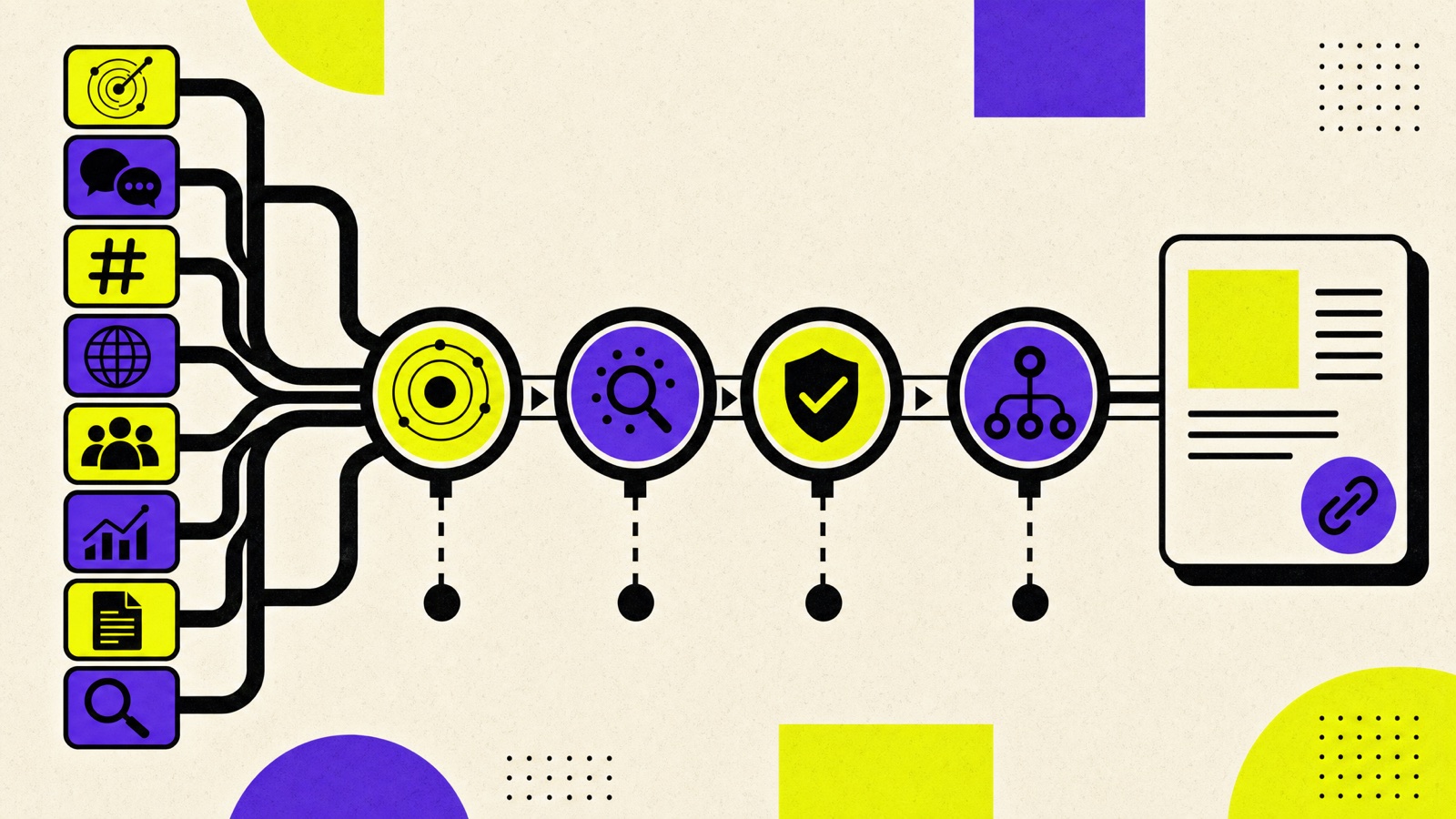
The uncomfortable answer is that most free social listening tools cover only one part of the job. Some find new web pages. Some show search interest. Others let you inspect one platform manually. A smaller group collects and organizes public conversations across sources.
This guide compares eight genuinely accessible free tools and research surfaces. It also gives you one test to run across them before you trust a dashboard or pay for a larger platform.
Quick answer
The most useful free social listening tools depend on the question:
- Use DataScaler for a quick cross-platform brand scan and source-linked findings.
- Use Talkwalker Free Social Search for a limited seven-day search across social and web sources.
- Use Talkwalker Alerts or Google Alerts to receive new mentions over time.
- Use Reddit Search when you need discussion-heavy posts and comments.
- Use Google Trends to check changes in search interest, not social sentiment.
- Use TikTok Creative Center for platform trends and Meta Ad Library for active competitor ads.
No free option provides complete coverage, perfect sentiment, reliable audience representation, and an operating workflow at the same time. The right starting point is the smallest combination that can answer one business question and preserve the sources behind the answer.
For the broader category, the DataScaler Social Listening guide explains how monitoring, customer language, platform context, and source evidence fit into one workflow.
Free social listening tools compared
Tool | Use it for | What you can inspect | Main limitation |
|---|---|---|---|
DataScaler | A quick brand conversation scan | Cross-platform findings, topline metrics, themes, and source-level drill-downs | The free flow is a preview, not a permanent monitoring program |
Talkwalker Free Social Search | Recent social and web discovery | A limited seven-day view with search and filtering | A short window cannot establish a durable trend |
Talkwalker Alerts | Ongoing brand, competitor, and topic alerts | New results from web, news, blogs, forums, and X delivered by alert | Alerts detect matches; they do not produce a complete analysis |
Google Alerts | New indexed web results | Pages that Google Search finds for the tracked topic | It is web monitoring, not broad social listening |
Google Trends | Search interest and rising queries | Relative search interest by time and region | It shows searches, not posts, opinions, or mention volume |
Reddit Search | Detailed customer language | Posts, comments, communities, media, and people | Manual results from one platform do not represent the whole market |
TikTok Creative Center | TikTok trends and creative research | Top Ads, trend discovery, and creator content | Trend discovery is not a complete brand-mention dataset |
Meta Ad Library | Competitor advertising research | Active ads across Meta technologies | It covers advertising, not organic customer conversation |
The table separates tools that collect mentions from public research surfaces that answer adjacent questions. That distinction matters. Google Trends can show that more people searched for a product; it cannot show whether the underlying conversation was positive, negative, or driven by a product issue.
Verification note: Product names, free entry points, and capability descriptions were checked against official pages on September 4, 2026. They describe what each provider currently publishes, not an independent coverage benchmark. Availability may change by market, account status, or product update.
1. DataScaler: start with a source-linked brand snapshot
DataScaler lets you enter a brand for a free preview and explore live brand datasets with drill-downs to source content. The fixed Bambu Lab social listening research documents the sample boundary, methods, findings, and limitations behind one example.
Use it when your first question sounds like:
- What topics are shaping conversation around this brand?
- Where are buyers showing interest or hesitation?
- Which platforms and source posts are driving the finding?
- Is there enough evidence to justify a deeper review?
The useful difference is not another sentiment number. It is the path back from the summary to the post or comment that produced it.
The free boundary is also important: the quick scan and sample are an entry point. A repeatable monitoring program still needs saved scopes, scheduled refreshes, ownership, and review dates.
Disclosure: DataScaler is our product. It is included under the same test used for every option below: define one question, inspect the time and source boundary, open the evidence, and record what the result cannot prove.
2. Talkwalker Free Social Search: inspect a recent seven-day window
Talkwalker Free Social Search is useful for checking recent conversation around a brand, product, campaign, or hashtag. Talkwalker describes the free search as a seven-day view with filters for attributes such as location, language, media type, and sentiment.
This makes it practical for early discovery:
- Did a launch create conversation during the last week?
- Which themes or accounts appear around a campaign?
- Is the brand name ambiguous enough to require query exclusions?
Treat the output as a recent sample. Seven days may capture a launch or incident, but it is rarely enough to prove that a theme is persistent. Record the date, query, filters, and visible source mix before sharing a conclusion.
3. Talkwalker Alerts: monitor new matches without keeping a tab open
Talkwalker Alerts lets users set alerts for brands, competitors, events, and other topics. Its current page describes coverage across news, blogs, forums, websites, and X, with frequency and result filters.
Use it for detection:
- a new brand or product mention;
- a competitor announcement;
- an emerging issue that appears across web sources;
- a new article that may create a PR or backlink opportunity.
An alert is not a finding. One notification may come from a duplicated press release, a syndicated article, or a post with little relevance. The next step is always to open the result, identify the original source, and decide whether independent evidence supports the same pattern.
4. Google Alerts: simple monitoring for new web results
Google Alerts sends an email when new Google Search results appear for a topic. Users can adjust frequency, site types, language, region, and result volume.
It works well for:
- company and executive mentions on indexed web pages;
- product announcements and reviews;
- new articles mentioning a category or competitor;
- lightweight PR and backlink discovery.
Google Alerts does not monitor every social platform, private community, comment thread, or review source. It should be described as web-result monitoring. Combine it with a social or community source when the question depends on customer language rather than published pages.
5. Google Trends: test whether attention extends into search
Google Trends compares search interest over time and by region. Google explains that Trends uses an anonymized, categorized, aggregated sample and normalizes results to a 0–100 scale.
That makes it useful for a different question: did a social or media event change what people searched for?
For example, you can compare:
- a brand and a product name;
- a launch period and the previous period;
- two regions or markets;
- a brand term and a recurring customer concern.
Do not call the index “search volume,” and do not treat a spike as approval or purchase intent. It shows relative search interest under the chosen scope. Pair it with public conversation or first-party data to understand why the change occurred.
6. Reddit Search: read the language behind an evaluation
Reddit Search can search posts, comments, communities, media, and people. Comment search is especially useful when buyers discuss setup, compatibility, durability, support, alternatives, or long-term ownership.
A focused Reddit review can answer:
- Which product comparisons keep appearing?
- What language do buyers use for the same objection?
- Does the issue appear in several communities and independent threads?
- Are experienced owners correcting or reinforcing the claim?
Reddit is one platform with its own audience and community norms. A highly active thread can dominate what you see. Record the community, post date, engagement, independent-thread count, and whether the same theme appears elsewhere.
Reddit also offers AI-generated search summaries in supported experiences. Its AI search help page advises users to check the underlying posts and comments because generated summaries may be inaccurate. The source trail matters more than a fluent answer.
7. TikTok Creative Center: see what is moving inside TikTok
TikTok Creative Center is a public-facing research surface for trend and creative discovery. Its current page exposes Top Ads and Trends and describes finding what is trending with a target audience and discovering brand-relevant creator content.
It is useful when the decision concerns:
- the creative formats appearing in Top Ads;
- trends shown for the selected audience or market;
- brand-relevant creator content;
- which examples deserve a manual review inside TikTok.
It does not provide a complete archive of every organic brand mention or every comment. Use it to find what to inspect, then preserve the actual videos, comments, region, and date behind any conclusion.
8. Meta Ad Library: compare the offers competitors are actively promoting
Meta Ad Library lets users search active ads running across Meta technologies by advertiser or keyword. It is a strong free source for competitor offer and creative research.
Use it to document:
- active promotions and bundles;
- changes in value propositions;
- creative formats and repeated claims;
- landing-page and regional variations.
The library shows what an advertiser is running, not how customers feel about it. It cannot prove ad performance, market share, purchase intent, or organic brand sentiment. Keep advertiser-controlled evidence separate from customer conversation.
The free stack to use for common questions
You rarely need all eight tools. Start with the decision.
Business question | Start with | Add for context |
|---|---|---|
Did a campaign create attention? | DataScaler or Talkwalker Free Social Search | Google Trends and TikTok Creative Center |
What are buyers worried about? | DataScaler and Reddit Search | YouTube or review-source verification |
Did a competitor change its offer? | Meta Ad Library and Google Alerts | Brand or product page snapshot |
Is a reputation issue emerging? | Talkwalker Alerts | Source review plus a cross-platform scan |
Which topic deserves content? | Google Trends and Reddit Search | DataScaler recurring themes and source posts |
Do we need a paid platform? | Run the same fixed query in two free tools | Score evidence quality, repeatability, and team effort |
The combination should make the blind spots visible. Search interest, advertising, social conversation, and customer records are different evidence layers. They become more useful when the report keeps them separate.
Run this 30-minute test before choosing a tool
Do not compare homepages or feature lists. Give each tool the same job.
Minutes 0–5: write one decision question.
Example: “Which recurring concerns are shaping purchase evaluation for Brand X’s Product Y in the United States this month?”
Minutes 5–10: freeze the scope.
Record the brand, product, market, language, date window, sources, inclusions, exclusions, and known ambiguous terms.
Minutes 10–20: run the same query.
Use the same brand variants and exclusions where each tool allows them. Save the visible query and filters rather than relying on memory.
Minutes 20–25: inspect ten results.
Count irrelevant matches, duplicates, inaccessible sources, reposts, and independent items. Open the posts behind at least three important claims.
Minutes 25–30: write one bounded finding.
State what you observed, which sources support it, the main limitation, the decision owner, and what should be checked next.

Copy this evaluation scorecard
Score every item 0, 1, or 2. A high total does not make a tool universally better; it shows whether the tool fits the question you defined.
The social listening metrics guide covers the measurement layer in more detail. This scorecard focuses on whether the tool makes those measures inspectable and repeatable.
Criterion | 0 | 1 | 2 |
|---|---|---|---|
Relevant source coverage | Key sources absent | Partial coverage | Sources needed for this decision are present |
Query control | Brand ambiguity cannot be corrected | Basic filters | Reusable inclusions, exclusions, markets, and languages |
Scope disclosure | Time and sources unclear | Some boundaries visible | Window, sources, filters, and exclusions are explicit |
Duplicate handling | Reposts dominate | Manual cleanup possible | Duplicate logic is visible or repeatable |
Source access | Summary only | Some links | Important findings link to original content |
Context preservation | Metric without content | Snippets available | Post, comments, platform, date, and engagement remain visible |
Repeatability | Results cannot be saved | Manual record required | Scope can be rerun and compared |
Decision workflow | No next-step record | Export or note only | Finding, owner, action, and review date stay together |
Also record the analyst time required. A free tool becomes expensive when each weekly review requires several hours of manual deduplication, screenshots, and source reconstruction.
When is a free social listening stack enough?
Free tools can be enough when:
- the team has one or two brands to check;
- the question is narrow and the review is occasional;
- manual verification is acceptable;
- the cost of missing a signal is low;
- the output supports exploration rather than an automated operational response.
Consider a paid or managed workflow when:
- you need repeatable cross-platform collection;
- several markets, languages, products, or competitors must be separated;
- alerts need owners and response rules;
- analysts spend more time rebuilding data than interpreting it;
- source history, governance, exports, permissions, or API access matter;
- decisions require a defensible record of scope and evidence.
The upgrade question is not “How many mentions can we buy?” It is “Which repeated decision becomes faster, more reliable, and easier to verify?”
If you are already pricing paid platforms, our comparison of Brandwatch alternatives and pricing covers seven tools, what they cost, and which ones can read Amazon reviews.
Once a tool passes the test, use the social listening report template to keep scope, findings, evidence, owners, and review dates in the same deliverable.
When free is not enough: paid social listening tools compared
If the checklist above points to a paid tool, these are the main options for consumer brands. Prices come from vendor pricing pages or published buyer data, checked between October 27 and November 2, 2026. DataScaler is our product.
Tool | Starting price | Best for | Watch out for |
|---|---|---|---|
Awario | $29/mo, billed annually | Tight budgets, high mention volume | Lighter analysis; export on higher tiers only |
Brand24 | $199/mo, billed annually | Always-on mention alerts | Keyword and mention caps on each plan |
DataScaler | Free plan; Pro $199/mo | Product, review and competitor questions | Report-based, not a real-time feed |
YouScan | $499/mo, billed annually | Products customers show in photos | Image analysis not on the Starter plan |
Sprout Social | $199/seat/mo (Standard) + listening add-on | Teams already publishing in Sprout | Listening is quote-only; cost scales with seats |
Talkwalker (Hootsuite) | Custom; third-party estimates from ~$9,000/yr | Enterprise coverage | Long sales cycle, no free trial |
Meltwater | Custom; buyer-reported median ~$25,800/yr | PR-led brands | Built around media, not product feedback |
Brandwatch | Custom; buyer-reported median ~$50,000/yr | Global insights teams | Cost, annual contracts, analyst-oriented |
A simple way to narrow the list: under $100 a month, start with Awario. For reliable alerts on your brand and a few competitors, Brand24. If your questions are about products, reviews and why buyers choose a competitor, DataScaler. For photo-heavy categories, YouScan. If PR drives growth, Meltwater. Enterprise insights teams usually compare Brandwatch and Talkwalker. Run the 30-minute test above on your two finalists before you sign anything.
For a detailed look at the enterprise end, see our Brandwatch alternatives and pricing comparison.
FAQ
What are the best free social listening tools?
There is no single best option for every task. DataScaler and Talkwalker Free Social Search provide broader conversation discovery. Talkwalker Alerts and Google Alerts support ongoing detection. Reddit Search, TikTok Creative Center, Google Trends, and Meta Ad Library answer narrower platform, search, trend, or advertising questions.
Is Google Alerts a social listening tool?
Google Alerts is a web-monitoring tool. It notifies users when new Google Search results appear for a topic. It can support brand monitoring, but it does not provide broad social-platform coverage, sentiment analysis, topic clustering, or a complete conversation dataset.
Can I do social listening for free?
Yes, for a narrow question. Use a free scan or search tool, add relevant native platform research, save the query and dates, and verify important findings in the original sources. Free tools become less practical when you need scheduled collection, history, multiple markets, team workflows, or repeatable reporting.
Can free social listening tools measure sentiment?
Some free tools display sentiment, but the label should be treated as a classification to check—not a fact about the whole market. Review the denominator, platform mix, sample window, language, duplicates, and source posts before using sentiment in a decision.
How should I compare two social listening tools?
Run the same decision question, query, time window, market, and language in both. Compare relevant coverage, duplicate handling, source access, context, repeatability, and the time required to create a defensible finding.
Do free tools replace customer research?
No. Public social and web data can surface demand, objections, comparisons, and emerging issues. It does not represent every customer and should not replace surveys, interviews, CRM, support, sales, transaction, or product-usage data.
What are the best paid social listening tools?
It depends on the job. Brand24 and Awario suit budget mention tracking, DataScaler suits product, review and competitor questions, YouScan suits photo-heavy categories, Meltwater suits PR teams, and Brandwatch or Talkwalker suit enterprise insights teams.
How much do social listening tools cost?
From about $29 a month for entry plans such as Awario, to $199 to $599 a month for mid-market tools such as Brand24 and DataScaler, to $25,000 to $50,000 a year or more for enterprise platforms such as Meltwater and Brandwatch.