
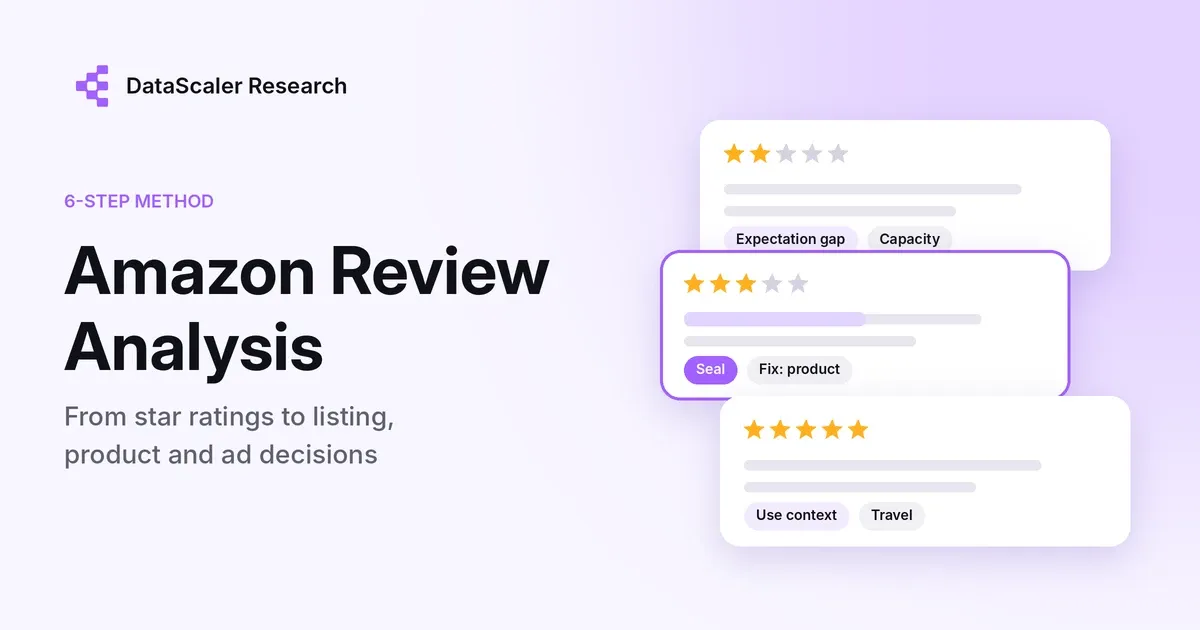
Quick answer: Amazon review analysis means reading your own and your competitors' reviews in a structured way so you can decide what to change: the listing, the product, the packaging or the ads. Pick one decision, build a clean sample, split it by star rating, tag themes with the buyer's own words, check any sentiment scores by hand, and compare with what shoppers say before they buy.
This guide is written for brand teams that sell on Amazon and their own store and track a few products against a few competitors. The first round takes an afternoon; after that, about an hour a month. A spreadsheet is enough to start, and there is a template to copy near the end.
Most guides on this topic stop at "run a sentiment tool." That gives you a score. It does not tell you which sentence on your listing is causing returns, or why a competitor with fewer reviews is outselling you. This guide is about getting to that level.
What Amazon already shows you, and where it stops
Before building anything, check the two views Amazon gives you for free. They are useful starting points, but neither replaces your own analysis.
Source | What it gives you | Where it stops |
|---|---|---|
"Customers say" review highlights | An AI summary on the product page, plus feature tags showing how many mentions were positive or negative | Only appears when enough reviews share an opinion; built from verified-purchase text reviews; Amazon listed the US, UK, Australia, India, Singapore and the UAE as of July 2024 |
Voice of the Customer in Seller Central | An NCX (negative customer experience) rate that combines returns, refunds, A-to-Z claims, buyer messages and reviews, plus root-cause groupings | Your own listings only; no competitor view; no native export of historical reviews, according to Seller Labs |
Both tell you *that* something is wrong. Neither tells you which promise on your listing created the expectation, or what buyers were worried about before they bought. That is the gap the next six steps fill.
Step 1: Write down the decision before you open any reviews
Reviews contain everything at once: shipping complaints, gift notes, five-star reviews that say "good." If you read without a question, you end up summarizing noise.
Pick one decision per round. Common ones:
- Listing: which claim to add, cut or qualify in the title, bullets and images
- Product: which defect or design trade-off to send to the product team first
- Ads: which buyer phrases to add as keywords, and which to add as negatives
- Positioning: what a competitor's buyers praise or resent that you could answer
Write the decision at the top of your sheet. Every theme you code later should help answer it.
Step 2: Build a clean sample of your ASINs and two or three competitors
Pull reviews for your product and the two or three listings buyers most often compare it with. If you are not sure which ones those are, our guide on how to identify direct competitors walks through it.
Keep one row per review with these fields: ASIN, variation, date, star rating, verified purchase, review title, review text and review URL. Then clean it:
- Separate variations. A color or size that ships from a different factory can carry most of the complaints.
- Mark Vine reviews. Amazon labels reviews written by Vine members who received the product free. Keep them, but look at them separately.
- Set two time windows. The last 90 days shows the product as it is now. "Since the last product or packaging change" tells you whether the change worked.
- Do not mix marketplaces. Amazon.com and Amazon.de buyers often complain about different things, and translations blur the wording you need.
How many reviews is enough? There is no fixed number. A practical rule: keep reading within a star band until the last 20 reviews add no new theme. A product with a few hundred recent reviews will usually get there well before you have read them all.
Step 3: Split by star band, and read the 3-star reviews first
Star ratings are not one scale of happiness. Each band answers a different question.
Star band | What it usually tells you | Use it for |
|---|---|---|
1–2 stars | Failures and broken expectations | Defects, misleading claims, setup problems |
3 stars | Trade-offs from buyers who almost liked it | The most specific fixes; these buyers explain what would have made it a 5 |
4–5 stars | What buyers value and the words they use | Listing copy, image ideas, ad keywords |
Three-star reviews are the most underused part of the dataset. One-star reviewers often stop at "broke after a week." Three-star reviewers tend to write "works well, but the lid leaks if you fill past the line," which is something you can act on.
Step 4: Code themes with an evidence phrase for each
Read each review and tag it with one or more themes. Keep the theme list short, around 10 to 15, and group them under five headings:
- Product attribute: battery life, noise, size, material, durability
- Expectation gap: "smaller than it looks," "not as quiet as advertised"
- Use context: who used it, where and for what, such as "for my dorm," "for travel," "for my dog"
- Logistics and packaging: arrived damaged, missing parts, hard to open
- Seller and support: replacement process, response time, warranty
For each tag, copy the exact phrase that justified it into an evidence column. (Our voice of customer analysis method applies the same idea to feedback beyond Amazon.) New to the idea? See what voice of the customer is, with six real examples. This is the step most teams skip, and it is what makes the analysis trustworthy. When someone in a meeting asks "where does that come from?", you can show them the sentence.
The same word can mean opposite things. "Light" is praise for a travel kettle and a complaint for a cast-iron pan. Evidence phrases catch this. A keyword count does not.
A short example of what a coded sheet looks like (illustrative, not real data):
Theme | Star band | Evidence phrase | Likely action |
|---|---|---|---|
Expectation gap: capacity | 2 stars | "holds barely one smoothie, photos make it look bigger" | Add a size-in-hand image; state capacity in ml and cups |
Product attribute: seal | 3 stars | "blends great but leaks if I fill past the line" | Add a fill line note to bullets and the insert; send to product team |
Use context: travel | 5 stars | "perfect for the gym bag, charges off my laptop" | Lead with travel and USB-C charging in the main image |
Step 5: Run sentiment analysis, then check it by hand
Sentiment analysis for Amazon reviews is useful for sorting volume, not for drawing conclusions. Models struggle with mixed reviews ("love it, but returned it"), sarcasm and comparisons ("better than my old one, which isn't saying much").
Before trusting any automated sentiment, pull 20 to 30 labeled reviews at random and check them yourself. If more than a few are wrong, use the sentiment only as a rough filter and rely on your theme coding. In the Bambu Lab sample in the next step, 8 of 55 posts labeled negative were not negative about the brand at all, including a positive first-look video and a review that criticized a competitor. That is about one in seven. We go deeper on this in what a brand sentiment score hides.
Step 6: Cross-check with what buyers say before they buy
This is where review analysis usually ends, and where it should not. Amazon reviews come from people who already bought. They tell you why buyers were disappointed. They say little about the shoppers who never bought because a doubt was never answered.
Those doubts show up elsewhere:
- Reddit: comparison threads, "is X worth it" questions and long-term reports after a few months of use
- TikTok and YouTube comments: questions under reviews and demos, such as "does it fit in a cup holder?" or "how loud is it really?"
When a theme appears in both places, for example a noise complaint in 3-star reviews and noise questions under TikTok demos, it is costing you twice: in returns and in lost conversions. Fix those first. Our analysis of why brands monitor Reddit shows how much purchase reasoning happens there.
What this looks like in real data
We pulled the 55 public posts about Bambu Lab that DataScaler's sentiment model labeled negative on YouTube, X and Instagram, published between October 2024 and October 2026, and coded each one by hand.
Theme | Posts | Example |
|---|---|---|
Software lock-in, firmware and open-source disputes | 17 | Creators saying they won't buy another Bambu printer after firmware changes |
Comparisons with rival printers | 13 | Speed and price tests against Anycubic's Kobra X |
Which Bambu model to buy, and value for money | 7 | A video titled "Why I Regret Buying the Bambu Lab X1 Carbon vs P1S" |
Hardware faults and expectation gaps | 4 | More vibration than expected on an A1 mini |
Shipping damage and support | 3 | A printer delivered with shattered glass |
Filament and consumables | 3 | A filament line being discontinued |
Not negative about Bambu Lab, or off-topic | 8 | A positive first-look video; a review criticizing a competitor's printer |
Only 7 of the 55 posts describe the kind of problem a product review is built to capture: a fault, a damaged delivery, a support case. Most of the other 40 are about whether to buy at all, which brand to choose or which model. Those doubts shape conversion before anyone writes a review, so a review-only analysis can miss the biggest threats to a listing.
See the pre-purchase side for your brand. Enter your brand in the Playground for a free preview of what people say about it across social platforms, with every finding linked to the original post.
How to analyze competitors' Amazon reviews
Your own reviews tell you what went wrong. Competitor reviews tell you what buyers in your category expect, which is often more useful for positioning. Run the same steps on two or three rival listings, then put the results side by side:
Theme | Your listing | Competitor A | Competitor B | What it suggests |
|---|---|---|---|---|
Noise | Frequent in 3-star reviews | Rarely mentioned | Frequent | A quiet-motor claim would only work if you fix it first |
Setup | Rarely mentioned | Frequent in 1–2 stars | Rarely mentioned | "Ready in 2 minutes" is a claim you can own |
Capacity | Frequent expectation gap | Praised in 5-star reviews | Not mentioned | Competitor A sets the expectation; show size clearly |
The table is illustrative. Three things are worth looking for in rivals' reviews:
- Switching language: "returned the X and bought this instead" tells you exactly which comparison buyers make.
- What 5-star reviewers praise that you never claim: if buyers love a rival's warranty and your listing never mentions yours, that is a quick fix.
- Complaints you have already solved: if a rival's top 3-star theme is something your product handles well, say so on your listing.
Our ecommerce competitor analysis framework covers the wider comparison beyond reviews.
Turn themes into owners and a monthly check
A theme without an owner stays a slide. Map each one to the team that can change it, then re-run the same theme list next month so you can compare like with like.
Theme type | Owner | Typical change | How you know it worked |
|---|---|---|---|
Expectation gap | Listing / marketing | Rewrite a bullet, add a scale or comparison image | Fewer "smaller than expected" mentions in new reviews |
Product attribute | Product / sourcing | Material, seal or component change | Theme drops in reviews dated after the change |
Use context | Marketing / ads | New main image angle, new keywords | Better click-through on the new keywords |
Logistics and packaging | Operations | Packaging, insert, carton test | Fewer damage mentions and damage-related returns |
Seller and support | Customer service | Reply templates, FAQ, Q&A answers | Faster resolution; fewer support complaints in reviews |
Keep your theme list fixed for at least three months. If you rename themes every round, you cannot tell whether things improved.
Copy this Amazon review analysis template
Copy this header row into the first row of a spreadsheet, one review per row:
`asin, marketplace, variation, date, stars, verified, vine, title, review_text, review_url, theme_group, theme, evidence_phrase, action_owner`
Columns | What goes in them | Example (illustrative) |
|---|---|---|
asin, marketplace, variation | Which listing and version the review is about | B0EXAMPLE1, US, Blue / 600ml |
date, stars, verified, vine | When, how many stars, and whether it is a verified or Vine review | 2026-09-14, 3, yes, no |
title, review_text, review_url | The review itself and a link back to it | "Almost perfect" |
theme_group, theme | One of the five headings from Step 4, and your theme | Product attribute, Seal |
evidence_phrase | The exact words that justify the theme | "leaks if I fill past the line" |
action_owner | The team that can act on it | Product |
Amazon review analysis tools compared
You can do all of this in a spreadsheet for one product. Tools start to pay off when you track several ASINs or competitors every month.
Option | Good for | Watch out for |
|---|---|---|
Spreadsheet and manual coding | One product, first round, learning the themes | Slow beyond a few hundred reviews |
Amazon "Customers say" and Voice of the Customer | Quick read of your own listings | No competitor view, limited export |
Amazon-focused review tools (for example AMZScout's review analyzer or Shulex VOC AI) | Summaries by ASIN, including competitors | Mostly Amazon-only; check how they collect data |
NLP APIs (Amazon Comprehend, Google Cloud Natural Language) | Teams with an analyst who can build a pipeline | You still need to define themes and check the output |
DataScaler | Reading Amazon reviews alongside Reddit, TikTok, YouTube and other social sources, with each finding linked to the source | Amazon Reviews is an add-on source set up by ASIN (+12 credits per report) |
If you are comparing broader listening platforms, our comparison of Brandwatch alternatives and pricing covers how seven tools handle review data.
Stay within the rules
Two things to keep in mind:
- Data access. Amazon now requires a signed-in account to see full review data, and ScrapeHero has retired the review scrapers it previously published. Use exports, approved tools or manual collection rather than scraping behind a login.
- Reviews you influence. The FTC's rule on fake reviews took effect on October 21, 2024. It bans buying positive or negative reviews, undisclosed insider reviews and suppressing negative reviews, with civil penalties per violation. Analysis should change your product and listing, not the reviews.
FAQ
How many Amazon reviews do I need to analyze?
There is no fixed number. Keep reading within each star band until the last 20 reviews add no new theme. Use the last 90 days so you are analyzing the product as it is sold now.
Can I analyze competitors' Amazon reviews?
Yes, and you should. Competitor reviews show what buyers in your category value and what they regret. Read the 3-star reviews of the listings you compete with most directly; they often describe the exact gap you can fill.
Is sentiment analysis enough for Amazon reviews?
No. Sentiment tells you how many reviews are positive or negative, not why. It also misreads mixed reviews and sarcasm. Use it to sort, then code themes with evidence phrases and spot-check 20 to 30 labels by hand.
How often should I analyze Amazon reviews?
Monthly for your main products, and again a few weeks after any listing, product or packaging change. Keep the same theme list so you can compare periods.
What is the best Amazon review analysis tool?
It depends on what you compare. For your own listings, start with Amazon's free "Customers say" and Voice of the Customer views. For summaries of any ASIN, including competitors, Amazon-focused tools such as AMZScout or Shulex are built for that. If you need to read reviews next to Reddit, TikTok and YouTube, use a tool that covers both, such as DataScaler. Whatever you pick, check its themes against the original reviews.
Can I export Amazon reviews from Seller Central?
According to Seller Labs, Amazon's Voice of the Customer tool, which replaced the Customer Reviews dashboard, does not offer a native export of historical reviews. Most brands use a third-party tool or manual collection.
Can Amazon reviews tell me why shoppers did not buy?
Not by themselves. Reviews come from people who purchased. To understand non-buyers, compare review themes with public questions and comments on Reddit, TikTok, YouTube and other channels.
Sources and notes
The Bambu Lab figures in Step 5 and Step 6 come from public YouTube, X and Instagram posts in DataScaler, pulled on October 28, 2026 and coded by hand by DataScaler Research; they do not include Amazon reviews. The coded example in Step 4, the competitor table and the template example are illustrative and do not come from a real product. Platform details were checked on October 28, 2026.
- Review highlights: Amazon, AI-generated review highlights
- Voice of the Customer and NCX: Seller Labs, Amazon Voice of the Customer
- Review data access: ScrapeHero, How to analyze Amazon reviews
- FTC rule: Perkins Coie, FTC finalizes rule banning fake reviews and testimonials
- DataScaler sources and credits: DataScaler pricing
Want to see what buyers say about your brand before and after they buy? Generate a free brand report. Every finding links back to the post or review it came from.